Wistia vs. ON24: Which Webinar Platform Is Better for Marketers?
Wistia and ON24 take different approaches to webinars. Compare them side by side and find the right fit for your team.
May 6, 2026
Topic tags
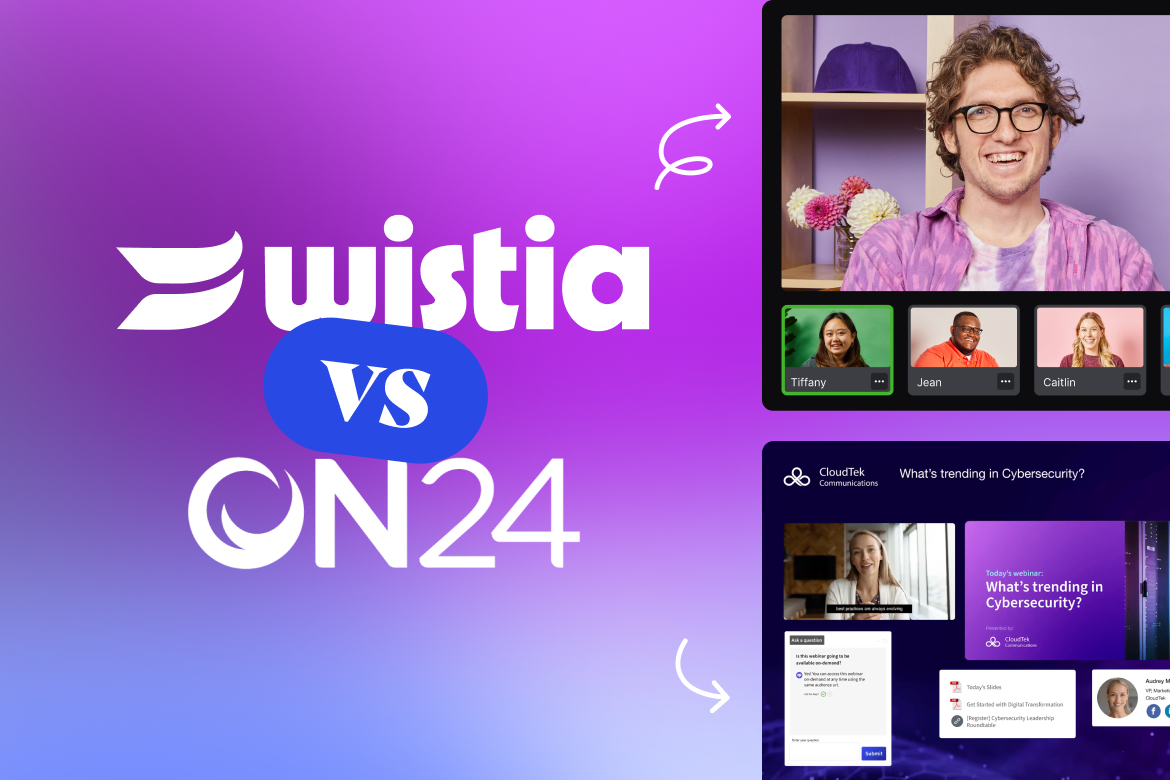
The right webinar platform can make all the difference in helping you create the content you want to create and the drive the results you want. ON24 and Wistia are both strong options, but they’re built for different kinds of teams.
ON24 is built for enterprise demand gen teams with dedicated ops and the headcount to manage it all. Wistia is built for marketers who want webinars to fit naturally into their broader video strategy: easy to run, easy to repurpose, and connected to the rest of their strategy from day one.
Here’s how they stack up.
Feature breakdown
| Wistia | ON24 | |
|---|---|---|
| Built for: | Marketers & small and medium-sized businesses (SMBs) looking for a complete webinar & video marketing platform | Enterprise marketing & demand gen teams running high-volume, data-intensive webinar programs at scale |
| Ease of use | Simple setup, easy embedding, download-free experience, & intuitive interface with end-to-end control | Complex backend, multi-step setup, attendees sometimes required to download software, & steep learning curve |
| Branding | Fully customizable registration pages with video trailers, speaker bios, brand colors, & more; full event room customization with brand colors, images, and logos | Enterprise-grade event branding available, but customization options are tied to higher-cost tiers; less flexibility for SMBs; upcharge for premium templates |
| SEO | Webinars become searchable and shareable video assets post-event | Post-event content lives on ON24’s platform or is exported manually; no native SEO-optimized repurposing into a video library; discoverability depends on manual distribution |
| Analytics | Granular engagement data before, during, and after your event, and integrations that send that data straight to your MAPs | First-party data capture and deep Salesforce/Marketo integration for enterprise pipeline attribution; better for revenue-linked reporting at scale; additional complexity and cost to extract data |
| Webinars | Webinars that live inside your complete video library, making it easy to host, embed, edit, and reuse content across your site | Robust live event features; on-demand experience is secondary; reliability issues reported at >600 attendees; no native unified video library |
| Pricing | Flexible webinar add-ons to Wistia’s core video platform: $350/mo for up to 500 attendees per session, $750/mo for up to 1,000 attendees, and custom pricing for higher attendance | Opaque enterprise pricing; per-minute overage charges ("a few minutes over = several hundred dollars"), and upcharges for integrations; no self-serve tier |
Registration & event management
Wistia
The entire process from sign-up to post-event follow-up is seamless and fully integrated with the rest of your video and marketing strategy. Spin up a branded registration page with your logo, speaker bios, and custom visuals in just a few minutes — without even needing a developer or designer.
You can host your webinar on a Wistia-hosted page or embed the full experience directly into any page on your site. Either way, your audience gets a single link to register, watch live, and come back for the replay.
During setup, you can choose between Wistia’s built-in registration form or drop in your own, with seamless integration to your marketing platform. To make your registration page more compelling, pull any video from your Wistia library to use as a teaser trailer or preview of what’s to come.
After your page goes live, Wistia takes care of the full registration workflow for you. It pushes registration data straight into your marketing automation tool, recognizes repeat visitors through a one-click registration option, delivers reminder emails to everyone signed up, and keeps contact records current with attendance details.
When the event day arrives, you can choose between fixed-width or responsive embed formats to suit your page layout. Additional options let you embed the live video stream along with interactive features like chat and polls. Because embeddable webinars don’t require developer support, you’re free to place your webinar anywhere you want it to appear.
ON24
ON24 also enables customization for registration pages and even offers personalized content and CTAs based on audience segmentation. In its higher tiers, you can get access to over 20 engagement features for webinars, as well as premium templates to make the webinar registration and event feel like your own.
Why Wistia wins
While ON24 has robust personalization offerings for webinars and additional engagement tools, its most valued features are gated behind higher-tier plans. You’ll need to have a sizeable budget as well as deep existing insight into your audience to make the most of the webinar experience.
With Wistia, you get fully branded and customizable registration and event experiences out of the box with the webinar add-ons. In just a few easy steps, you can create a beautiful, on-brand registration page and event room that’s fully connected to the rest of your video strategy — all from one place, without touching a line of code.
ON24’s registration tools are powerful, but they’re built for enterprise teams with dedicated event ops resources. For most marketing teams, Wistia gets you further with a lower price tag and doesn’t require you to increase your headcount.
Going live
Wistia
Wistia is built so anyone on your team can run a webinar from start to finish without the help of a producer.
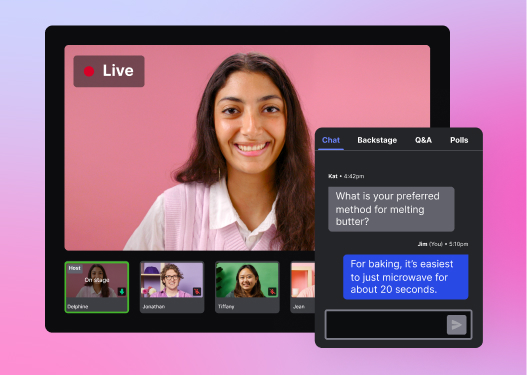
Just like the registration process, the interface is clean and intuitive. Easily manage speakers on and off stage, change layouts, share screens, or seamlessly drop in slides and pre-recorded videos without a screen share. Plus, you can interact with attendees using live chat, Q&A, and polls.
And Wistia lets you expand your reach with closed captions and a simulcast to LinkedIn or other social platforms with a click of a button.
The backstage experience is built for coordination too. You can chat with other panelists, use the ‘backstage whisper’ feature to make changes on the fly, and always know whether you’re visible and audible to the audience.
For those who prefer not to go completely live, or who want to host an event for a different time zone, running a pre-recorded webinar is equally simple. Just select a video from your Wistia library, set the time, and the event runs until the video ends.
ON24
ON24 offers robust live event features and up to 20 engagement tools, including polls, Q&A, moderated chat, and a console builder for customizing your event room. It’s a powerful platform for large-scale events, but more options also mean more complexity. Most teams will need dedicated producers or ops management for the event to help panelists leverage each of the tools and run the event seamlessly.
Why Wistia wins
ON24 has the feature depth for enterprise-scale productions, but that requires experts to be on hand for each event and significant prep time for hosts to deliver a smooth presentation. With Wistia, you get a polished, flexible live experience that any marketer can run confidently without a production team, a steep learning curve, or the risk of your presenter bailing on you before the event starts.
Post-webinar editing and repurposing
Wistia
Once your webinar ends, the recording lands directly in your Wistia library. From there, you can trim it, clean up transitions, pull social clips, and polish it into a reusable content asset without downloading, uploading, or leaving the platform.
If you embedded the full webinar experience on your site, it automatically turns into an on-demand recording when the event’s over. Your viewers can play the recording and view all chats, Q&As, and polls that were submitted during the stream. Have multiple webinars to share? Group them in a Channel and embed that on your site instead.
Wistia also has a chat-based agentic editor called Remix. You can use it to repurpose your webinar into a sales cutdown or an email highlight reel that surfaces the most valuable moments for your audience. You can also tap into Wistia’s AI-powered social clip feature to automatically pinpoint the most engaging segments and convert them into social-ready clips complete with vertical aspect ratios, captions, and auto-framing that keeps speakers centered. Every piece stays on-brand and on-message, extending the shelf life your webinar content deserves.
ON24
ON24’s on-demand replay is available after your event, but post-event editing is limited. Content lives inside ON24’s platform and requires manual export to distribute or repurpose elsewhere. Archives are deleted after a set period, and according to G2 reviewers, retrieving anything you need is typically another charge.
Why Wistia wins
Wistia gives you real editorial control over your recording before it goes live to an on-demand audience. ON24 treats the recording as an archive, while Wistia treats it as the start of your content strategy. For teams who want to get more mileage out of every webinar, that difference matters.
Event and audience analytics
Wistia
Wistia gives you detailed analytics before, during, and after your webinar. Before the event, you can see exactly where registrants are coming from, such as email, social, and partner referrals, to help you double down on what’s working. After the event, interactive heatmaps show how each attendee engaged: how long they stayed, where interest spiked, and where it dropped off.
This makes it easy to spot high-intent leads and feed that data directly into HubSpot, Pardot, or your marketing automation platform of choice without extra effort.
ON24
ON24’s analytics are a strength for enterprise teams. It captures rich first-party data from every attendee interaction, such as polls answered, content downloaded, and CTAs clicked, and pipes it into Salesforce and Marketo for pipeline attribution. If you’re running a high-volume demand gen program and need to tie webinar engagement directly to revenue, ON24’s reporting goes deep.
The tradeoff: That depth adds cost and complexity. Extracting and activating the data typically requires a dedicated ops function.
Why Wistia wins
For most marketing teams, Wistia’s analytics are more immediately useful. You get clear, visual engagement data at the individual attendee level before and after the event without needing a data team to interpret it. ON24’s enterprise reporting is powerful, but it’s built for organizations with the infrastructure to match. Wistia gives you the insights you need to act fast, without the overhead.
Which one is better for your business?
If you’re running a high-volume enterprise webinar program with a dedicated events team, deep Salesforce integration, and the budget to match, ON24 is purpose-built for that scale.
But if you’re a marketing team at a startup or a growing mid-market company or somewhere in between, Wistia is built for you. It’s easier to set up, easier to run, and your webinars don’t disappear into an archive when they’re done. They become searchable, embeddable video content that keeps working for you long after the live event ends.
The question isn’t just which platform handles the day-of experience better. It’s which one makes the whole lifecycle — registration, live event, editing, hosting, analytics, and repurposing — easier for your team.
For most marketers, that’s Wistia.